

Download and Transfer Apple Music Songs to Amazon Music

By
Updated on: June 30, 2026
Category: Music Streaming Tips
Recently I've switched from Apple Music to Amazon Music, but I don't want to lose my Apple Music playlists and favourite songs either. Collecting and rebuilding the previous Apple playlist really cost my time bundle. Is there any way out?
...
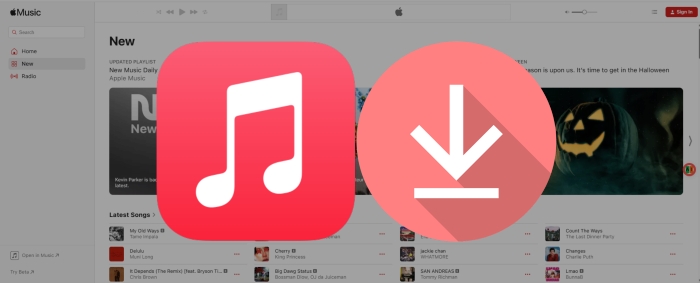
Indeed, Apple Music grants access to its subscribers to an extensive music library spanning many musical styles. The subscribers are able to collect and add their loved songs to the library for streaming. But meanwhile, Amazon Music has also been a perfect alternative for some audiophiles. So it's no surprise that some music lovers may consider switching to Amazon Music. Yet, to one's frustration, Apple Music doesn't provide a built-in support that move your Apple Music library to Amazon Music. It's somewhat unnerving that years of careful collection on Apple Music could not be synced.
Fret less, there is one workable solution that will help you download Apple Music locally and then transfer your Apple Music songs to Amazon Music. In doing so, you can avoid going through the hassle of finding and rebuilding your favorite iTunes playlists on Amazon Music. Let's dive in!

Part 1. Can I Directly Transfer Apple Music Songs to Amazon Music?
Sorry to tell you that the answer is NO. Apple Music does not allow you to move music or playlists straight to other streaming apps (they are competitors, after all). Sometimes you must endure the pain of switching to a new music hub that stems from what happens to those playlists you've so carefully curated. But there are some third-party options available that can soothe these worries. When using third-party softwares like SongShift, TuneMyMusic or Soundiiz, you can choose Amazon Music as your destination, then transfers any song, playlist and album to the other streaming platforms.
However, it's not a foolproof process. You'll fail to migrate some music or albums that you haven't purchased. Or some transferred music files could be incomplete, such as artists or tracks with sparse or incorrect metadata.
Part 2. How to Download Apple Music Songs to Computer
Tool Required: AudiCable Apple Music Recorder
Before importing Apple Music to Amazon Music, you should first get your lossless Apple Music songs without encryption protection. Here comes a professional AudiCable Audio Recorder that works this out.
AudiCable Audio Recorder is a multi-functional audio editor and recorder for Apple Music. Equipped with an intuitive interface and professional music converting feature, AudiCable can help you save songs, albums, and playlists from Apple Music or iTunes to lossless MP3, AAC, WAV, FLAC, AIFF, or ALAC formats. The ID3 tags of your downloaded Apple Music songs stay intact, and the output audio quality was preserved without any loss. AudiCable offers multi-platform music recording, which is ideal for fans who want access to various music resources, such as Spotify, Amazon Music, YouTube Music, and others. Check out the detailed features below.

Best AudiCable Apple Music Recorder( Mac / Win )
- Download music from Spotify, Apple Music, Amazon Music, Tidal, Line Music, Deezer, YouTube Music, Pandora, SoundCloud and other music sources.
- Convert streaming music at up to 10X faster speed.
- Save music to MP3, AAC, WAV, FLAC, AIFF, ALAC.
- Keep the original audio quality.
- Download songs with ID3 tags.
- Handy tools: Format Converter, ID3 Editors, CD Burner.
💡Tutorial on Downloading Apple Music Songs to Computer
Step 1 Launch AudiCable and Select Apple Music
First, download and launch AudiCable Audio Recorder. Then, click the “Apple Music” icon on the main interface. The Apple Music login window will pop up automatically—simply sign in to your account.

Step 2 Adjust Parameter Settings
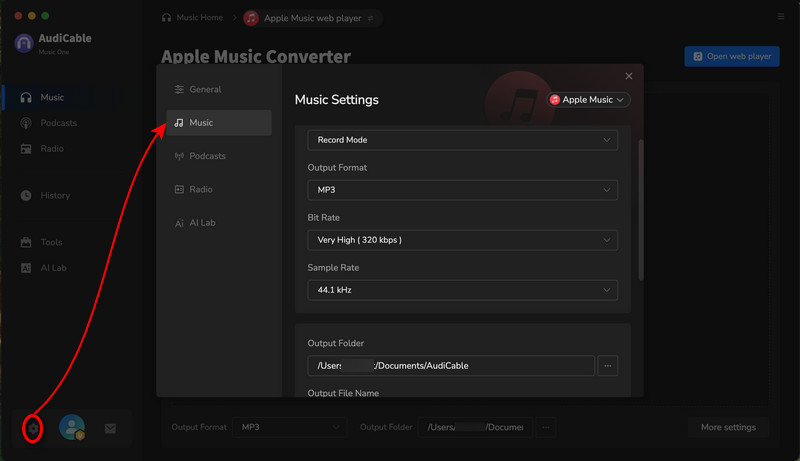
Tap the Settings icon at the bottom-left to select your desired output format, like MP3, and customize options such as audio quality and conversion speed.
Step 3 Add Apple Music Songs to AudiCable
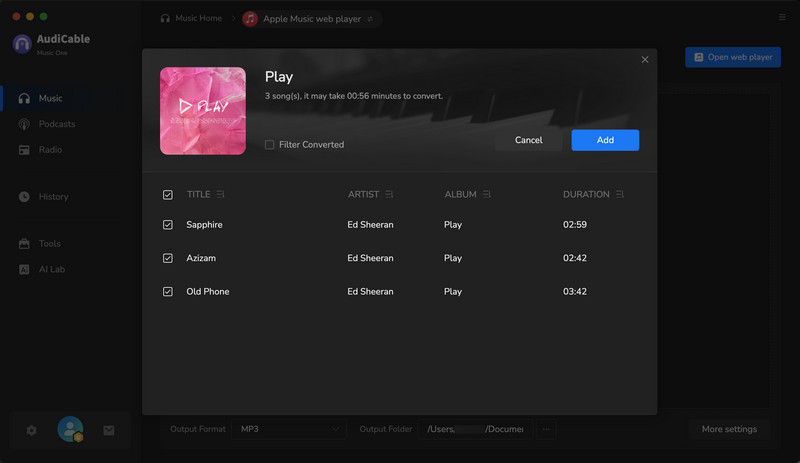
Open your Apple Music playlist in the web player, then click the “+” button in AudiCable to import the tracks. Next, select the songs you want to convert and click “Add”.
Step 4 Start the Conversion Process
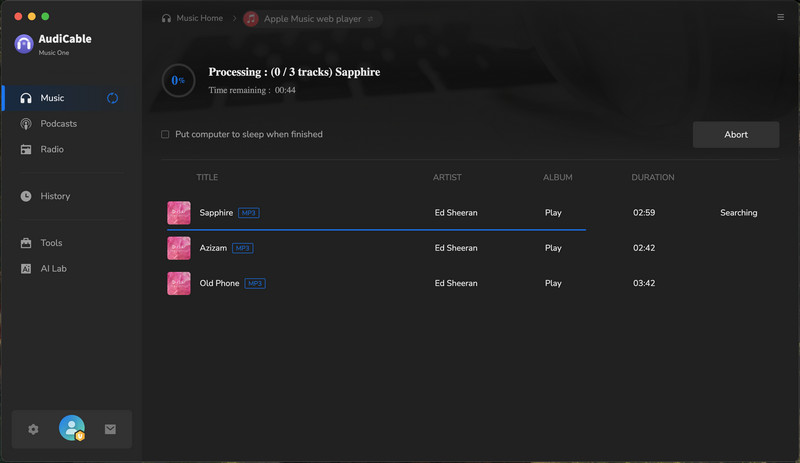
Click “Convert” to start saving your Apple Music tracks as MP3s. The conversion begins instantly, and you can click “Abort” anytime to stop the process.
Step 5 Locate Your Apple Music Downloads
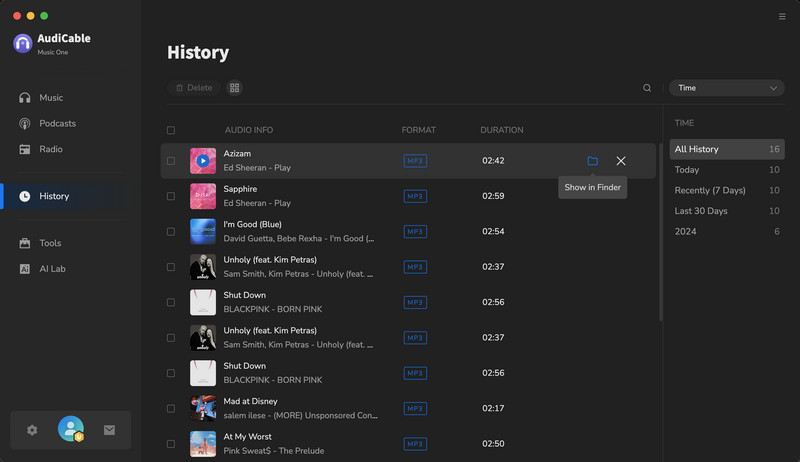
Once the process is complete, open the “History” section in the left panel. Then click the “Folder” icon next to any track to quickly access the local folder where your downloaded Apple Music files are stored.
Part 3. How to Transfer Apple Music Downloads to Amazon Music
After finishing the steps above, it's time to import downloaded Apple Music songs to Amazon Music. You can easily listen to Apple Music on the Amazon Music app with a few taps.
Step 1 Launch the Amazon Music app, navigate to "Setting" and click.
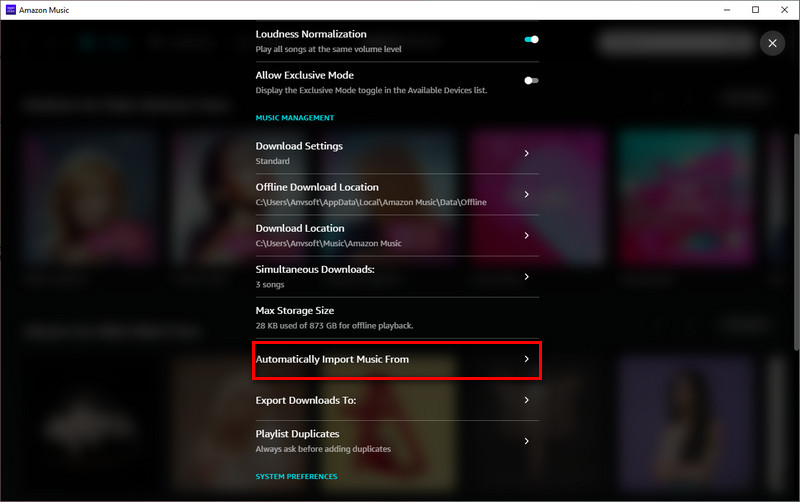
Step 2 Scroll down and tap "Automatically Import Music From" and then "Select Folder". You can select the downloaded Apple Music files to import.
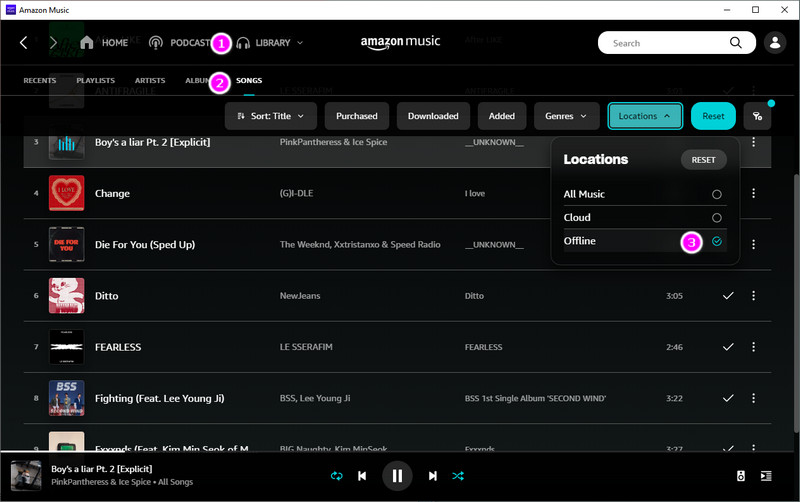
Step 3 To find the imported audio files, you can return to the main interface. Click "Library > Music > Location > Offline".
Disclaimer:
- All these methods are for personal or educational use only.
- You should not use this tool to distribute music or for business.
Conclusion
Switching to a new music streaming service might seem intimidating, but with some advanced preparation, you don't have to lose all your carefully curated songs. You just need to follow the complete guide as above, transferring your Apple Music songs to Amazon Music can be done easily. Of course, and most importantly, you'd better get AudiCable installed on your computer. With this tool, you can not only keep your Apple Music songs forever, but import the downloaded Apple Music audios to Amazon Music without another third-party service.
Note: You can only convert the first 1 minute of each audio with the free trial version. Please buy the full version to unlock its limits.
Related Articles
- Easy Guide to Transfer Tidal Songs to Apple Music
- Best Guide to Import Spotify Playlist to YouTube Music
- How to Keep Apple Music Songs Forever after Unsubscribing
- 9 Best Apple Music Converters of 2026 Reviews
- Quick Guide to Burn Apple Music Songs onto a CD
- How to Download Apple Music Songs to PC
- How to Import Apple Music to iMovie on Mac/iPhone/iPad
- How to Play Apple Music on MP3 Player